How Do I Reset My LG Refrigerator Ice Maker?
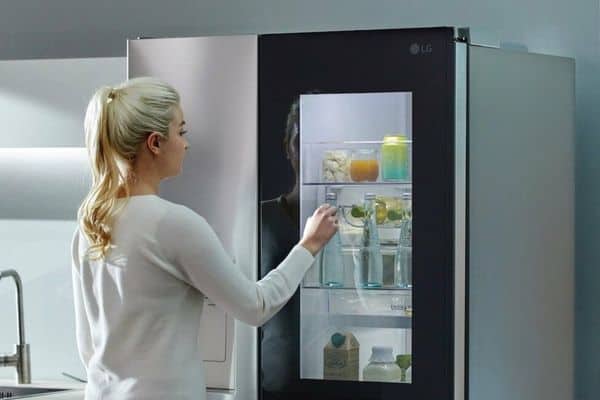
Having a reliable source of ice cubes is a huge time saver, and those lucky enough to own an LG refrigerator with an ice maker already know this.
An ice maker that suddenly stops working or doesn't work due to a malfunction can be highly unpleasant. Luckily, your LG refrigerator's ice maker is easy to reset, which can usually fix the problem.
LG is a well-known home appliance brand for its reliable products and innovative features. If you have an LG refrigerator, you like how modern it looks and how easy it is to use. And if your ice maker isn't working right, you might need to reset it to get it going again.
If you are worried about your ice maker and wondering How to reset your LG refrigerator ice maker, then this article will explain all about it.
We'll describe how to locate, press, and hold the reset button and what to do if it doesn't reset your device. You can enjoy a continuous supply of ice cubes by following these instructions.
How do I reset my LG refrigerator ice maker?
Let us Know the Reason.
To know How I reset my LG refrigerator ice maker, we will first take a tour of why my ice maker stopped working, what the solutions are, what safety warnings and precautions, maintenance, and common issues are, and finally, how to clean it. So, let's move to unveil all of the above:
Why is my LG fridge freezer not making ice?/ What causes the ice maker to stop making ice?
Many homes have ice makers because they are helpful. But, like any other appliance, they can break down. If your ice maker isn't making ice, there could be a few problems.
Problems with Water Supply:
Your ice maker may not be working because of a water supply problem. Ensure the water line is connected and the water pressure is high enough. Also, check to see if the line has any knots or breaks that could be causing the blockage.
Frozen Water Lines:
Frozen water lines could be another cause if your ice maker stopped working. It can happen when the freezer is set to a too-low temperature. If the water in the supply line freezes, it can block the water flow to the ice maker and stop it from making ice.
Faulty Water Inlet Valve:
The valve that lets water into the ice maker controls how much water goes in. If this valve breaks, water won't be able to get to the ice maker. You can use a multimeter or call a professional to test the valve.
Ice Maker Not Working:
If none of this is the problem, the ice maker is broken. It may occur for several reasons, such as a broken motor or thermostat. In this case, it's best to call a professional to find out what's wrong and fix it.
Thus, several things could have caused your ice maker to stop working. If you know what could be causing the problem, you can try to fix it yourself or call a professional for help.
What are the Safety warnings and Precautions for LG refrigerator icemakers?
Ice makers are helpful home appliances, but following some safety tips and precautions is essential to avoid accidents or damage to the appliance. Here are some things you should remember:
Always read the instructions carefully and do what they say. It includes setting it up, using it, and keeping it in good shape.
- Keep the ice maker area tidy. It prevents appliance damage and risks.
- Avoid touching the ice maker's interior. Metal pieces are sharp and can injure.
- Unplug and switch off the ice maker before moving it. It will avoid electrical mishaps and appliance damage.
- Put only a little ice in the ice maker. It can make the machine break down or stop working.
- The ice maker should be level. It won't fall over or shake.
- Keep kids and pets away from the ice maker. It's not a toy and can be harmful if used poorly.
- Clean and replace worn ice maker parts regularly. It will make sure it works well and lasts a long time.
By taking these safety warnings and precautions, you can enjoy the convenience of an ice maker while keeping your family and home safe.
How to Maintain Ice Maker?
If you have an LG ice maker, it's essential to take care of it to keep it working well and make clean, fresh ice. Here are some ways to keep your LG ice maker in good shape:
- Clean the ice maker's exterior regularly with a damp cloth and mild soap.
- Clean the ice bin and tray with warm water and mild soap to keep minerals or bacteria from building up.
- To maintain clean, crisp ice, replace the water filter as the manufacturer directs.
- Look for leaks or damage in the water supply line, and replace it if necessary.
- Check the temperature settings to ensure the ice maker is set to the best ice-making temperature.
- Maintain a clean space around the ice maker to avoid risks and appliance damage.
- You should have a professional check on your ice maker once a year to ensure it is in good working order and prevent any problems.
Using these tips, you can keep your LG ice maker in great shape and always have fresh ice on hand.
Common Issues
LG ice makers can break down sometimes, just like any other appliance. Here are a few of the common problems you might face:
- If your ice maker isn't making ice, it could be because the water filter is clogged, the water inlet valve is broken, or the thermostat is broken.
- If your ice maker makes cloudy ice or a different color, this is usually a sign of a dirty ice bin, water supply line, or worn-out water filter.
- If your ice maker makes ice cubes that are too small or need to be the proper shape, this could be because of a problem with the temperature settings or a clogged water supply line.
- If your ice maker is making loud or strange noises, it could be because the motor is worn out or a part is loose or broken.
If you have any of these problems, it's best to check the manufacturer's manual or call a professional to help you figure out what's wrong and fix it.
How do I reset my LG refrigerator ice maker?
Now come to the main issue that you are facing and fix it. Just scroll down!
The LG Ice Maker Doesn't Work
When the LG ice maker doesn't work, it's usually because the water line is kinked, the water filter is in the wrong place, or the water filter is dirty and needs to be replaced. Before moving on, check the system. If the LG ice maker tray doesn't turn, you may need to press a button to get it going again.
If the LG ice maker tray doesn't turn, you may need to press a button to get it going again. f the LG fridge isn't making enough ice, check for kinks in the water lines. Ensure sure there are no clogs, either on the inside or the exterior of the tubes. Check that the water line is connected to the ice maker and that the water supply is on. If the ice maker in your LG refrigerator isn't filling with water, this is probably the problem.
If you roughly open and close the refrigerator doors, the ice maker can get moved enough to stop making ice cubes. If you turn on the ice maker, the machine can take up to 24 hours to start producing ice.
Before turning the ice maker back on,
Clean off any ice cubes stuck to the machine or that have fallen and stuck to its outside. When you shake ice chips loose while using an ice maker, they can fall into puddles. Have some towels on hand to help keep the floor from getting slippery and making it dangerous.
After checking everything and seeing that it works, reset the LG ice maker. LG makes a few ice makers, so using the manual will make things easier.
LG Ice Maker Reset
The on/off switch for the ice maker is on the left side of the unit. An icon for ice on/off will be displayed on the refrigerator's screen. A test/fill button is on the bottom of the front of the tray. Hold that button down until the ice maker starts to turn and go through a cycle.
You must take the bin out if the ice maker doesn't work. LG says to give the ice maker a few firm but gentle shakes before putting the bin back in and turning off the unit for 30 seconds. Turn on the device again.
Give the ice machine about four to six hours to start making ice. It might need to be fixed or replaced if it won't turn on or make ice. Replacing the ice maker should be easy if you know how to work with electrical systems.
FAQ
Q: Where is the LG Maker's button to start over?
A: The filling and testing button is on the tray's bottom. Keep pressing until the icemaker rotates and cycles. If the maker doesn't cycle, you must take the bin out.
Q: How long does it take for the LG maker to make ice?
A: The icemaker can make about 100 cubes in 24 hours. It may take up to 90 minutes to empty the bin and 24 hours to refill it.
Q: How can I reset the LG refrigerator's fault code?
A: If your freezer shows the error code FF, it means that the motor of your freezer fan is broken. After 20 minutes, you can unplug your LG refrigerator. Then connect it to power again.
Conclusion
Pushing and holding the button labeled "reset" for around five seconds will allow you to reset the ice maker on your LG refrigerator. Alternatively, try unplugging the fridge for a few minutes. Remember that it could take the ice maker up to 24 hours to produce a full batch of ice once it has been turned back on.
See the user guide with your LG refrigerator, or contact LG's support team if you need help. You can easily reset the ice maker on your LG refrigerator by following these steps, and then you can get back to enjoying freshly made ice in no time.
https://yellowfevereats.com/how-do-i-reset-my-lg-refrigerator-ice-maker/?feed_id=20934&_unique_id=640d51d8236a7


Kommentarer
Skicka en kommentar